
AccessiPal
Crowd-sourced campus accessibility with integrated facility reporting for real-time issue tracking and inclusive maintenance.
Context:
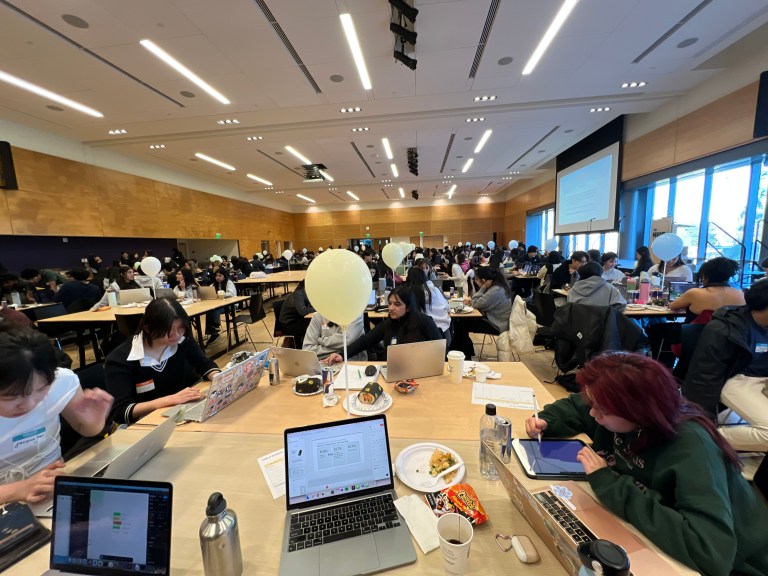
An interactive Figma prototype created for the Women in Informatics 2025 Hackathon.
Role
UX Designer
User Researcher
Timeline
Jan 2025
(8 hours)
Team
Nhu Tat (me!)
Thea Klein-Balajee
Sunny Tian
Jacqueline Flynn
Problem Statement
How might students at UW efficiently report on campus accessibility and facility issues so that they are resolved promptly and effectively?
Research
I conducted a literature review to explore the experiences of individuals with disabilities at the University of Washington. The most insightful source I found was the UW Seattle 2020 Assessment of Climate for Learning, Living, and Working.
Many individuals with disabilities experience physical barriers on the UW Seattle campus.
15.8%
experience barriers in classroom buildings
12.4%
experience barriers in elevators
15.2%
experience barriers during construction
Campus facilities are often inaccessible, resulting in an unwelcoming environment.
“Why is the path at the Vista by the fountain still gravel? It is the only place on campus that is gravel. Every day, twice a day to and from light rail, I experience that path as a sign that I don’t belong on this campus.“
One respondent shared
Competitor Analysis
I conducted a competitor analysis of existing navigation and facility reporting tools to identify gaps in accessibility and user experience.
Current tools to search for facility and route accessibility are limited.
Google Maps
- Limited accessibility details.
- No real-time updates.
- Maintenance is disconnected from user complaints.
WheelMap.org
- Only for wheelchair users.
- No user update incentives.
- Hard to search locations.
- “It does rely only on people updating places they visited. Unfortunately, not many people have updated places in my town.” – One user shared in a review
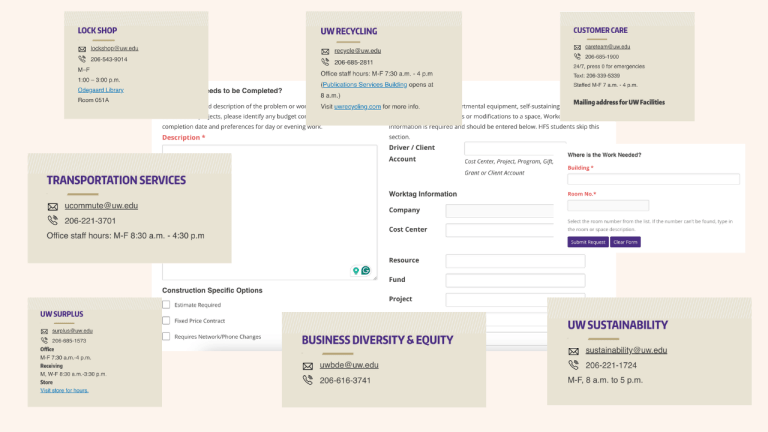
Current tools to report facility issues are complicated and lack real time updates.
User Personas
Through in-depth research into the user space and competitor analysis, I developed user personas that accurately represent AccessiPal’s target audience.
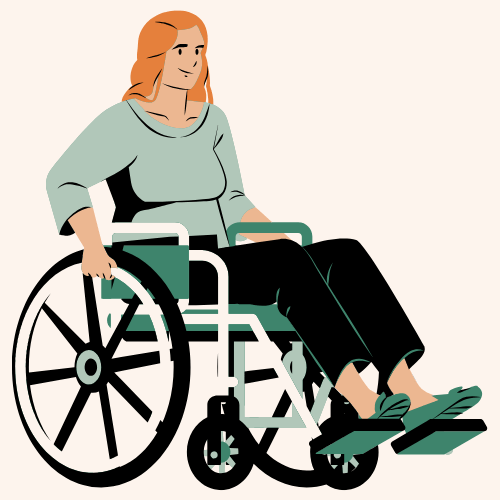
Alex, a 19-year-old wheelchair user college student at UW studying business.
Goals:
Alex wants to easily find accessible routes on campus to get to class independently.
Pain Points:
♿️ Outdated accessibility info
🚧 Frequent physical barriers

Jesse, a 40-year-old facilities coordinator at UW.
Goals:
Jesse wants to ensure campus facilities meet accessibility standards.
Pain Points:
⏰ Limited real time updates
🛗 Delays in fixing issues related to accessibility
Ideation
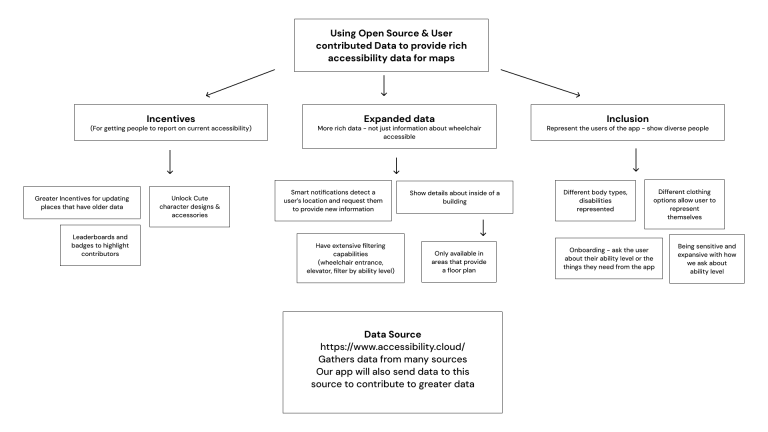
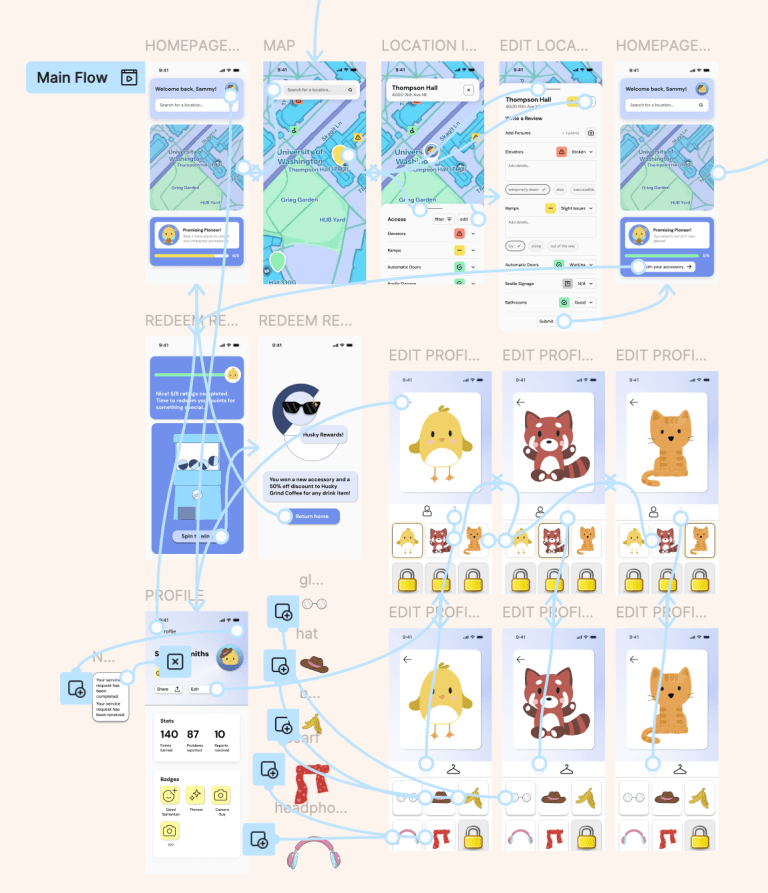
With feedback from 4 industry mentors, my team outlined key features and metrics of success. By collaborating with mentors and incorporating their feedback, we ensured that the user flow was user-friendly and aligned with the overarching goal of accessibility.
Metrics of Success
Adoption Rate
Number of downloads and new user sign-ups
Engagement
Monthly active users
Retention
Repeat usage rates
Issue Resolution
Increase in reported facility concerns successfully addressed
User Satisfaction
Ratings, reviews, and qualitative feedback from users
Institutional Impact
Feedback from university staff on efficiency improvements
Design
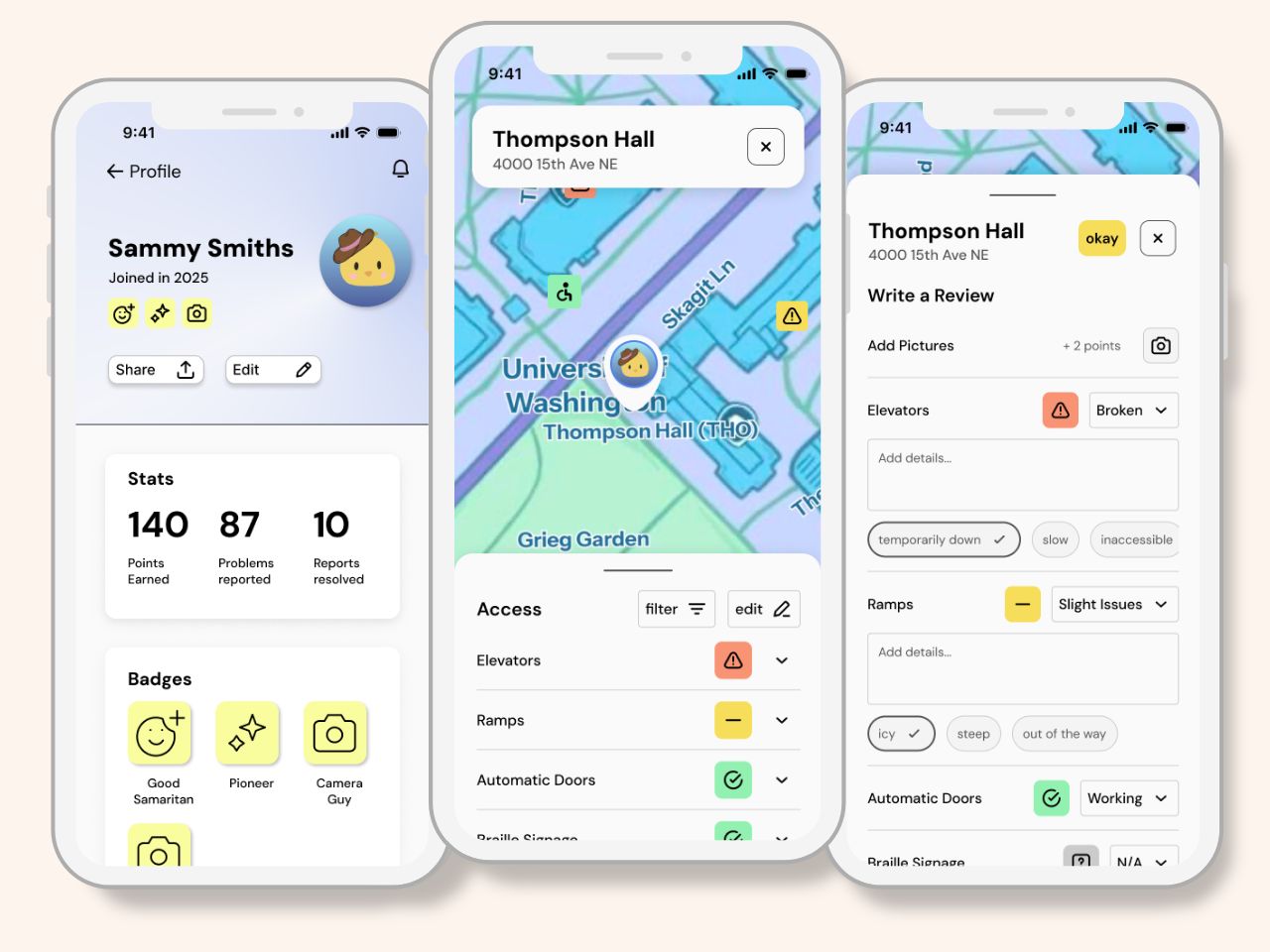
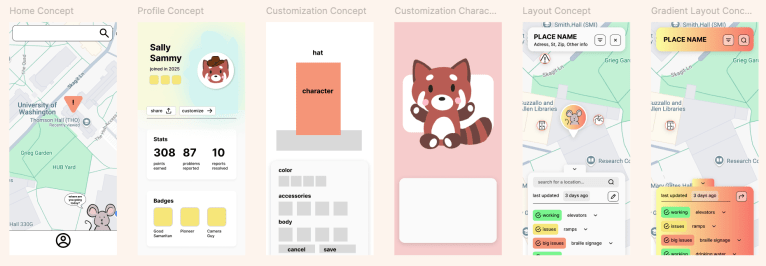
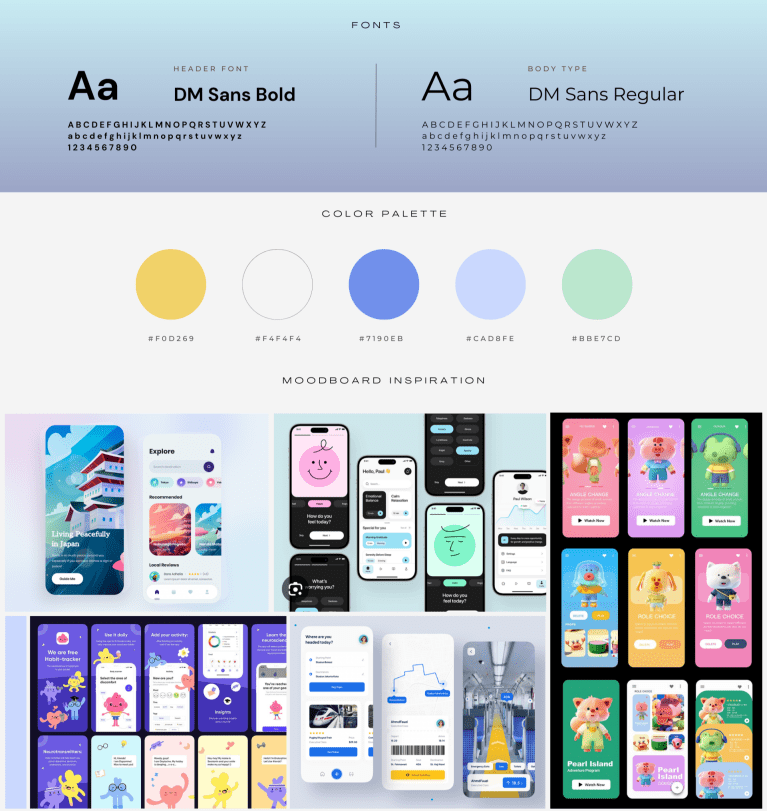
I began by creating low-fidelity wireframes in Figma to establish the overall design and key features of the interface. Once the structure was in place, I transitioned to high-fidelity wireframes, where I focused on building interactive elements such as swipe gestures and pop-up modals. My teammates designed custom character assets and map background using Procreate.
Meet Accessipal!
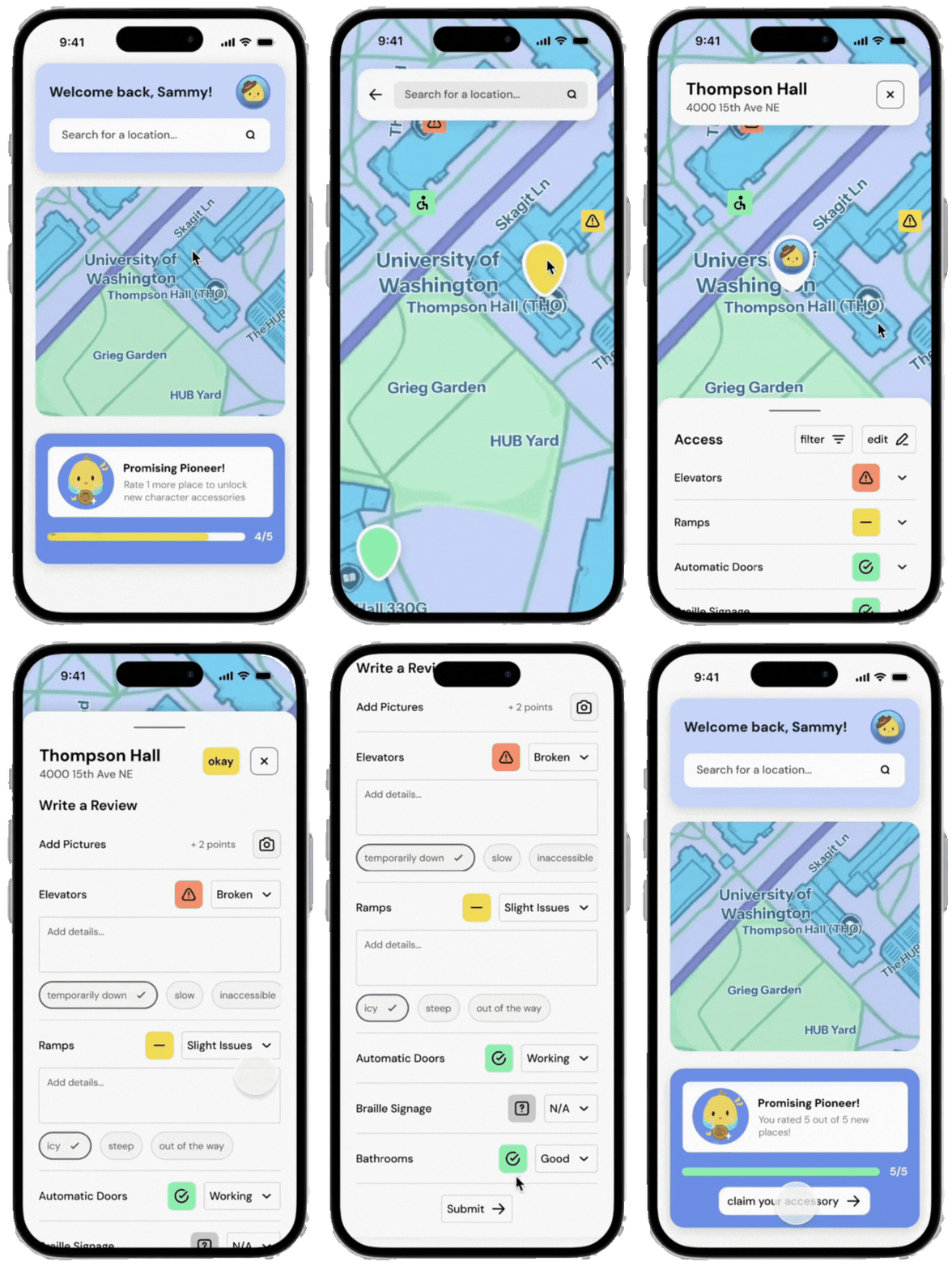
Real Time Accessibility Tracking 🦽
Effortlessly identify broken facilities that may pose accessibility challenges, allowing users to quickly reroute and navigate campus with confidence. Reporting issues directly to maintenance is seamless. Real-time updates keep users informed as problems are addressed and resolved.
Community Engagement 🌎
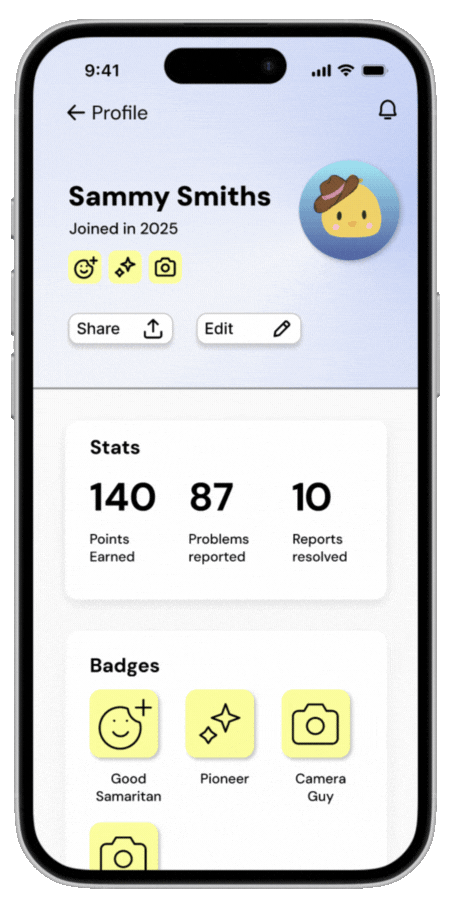
Foster a sense of community responsibility by empowering users to contribute to campus accessibility. Earn badges like Good Samaritan, Camera Guy, and Pioneer to celebrate your efforts, and view your achievements on your profile, including points earned, problems reported, and issues resolved.
Incentives🤑
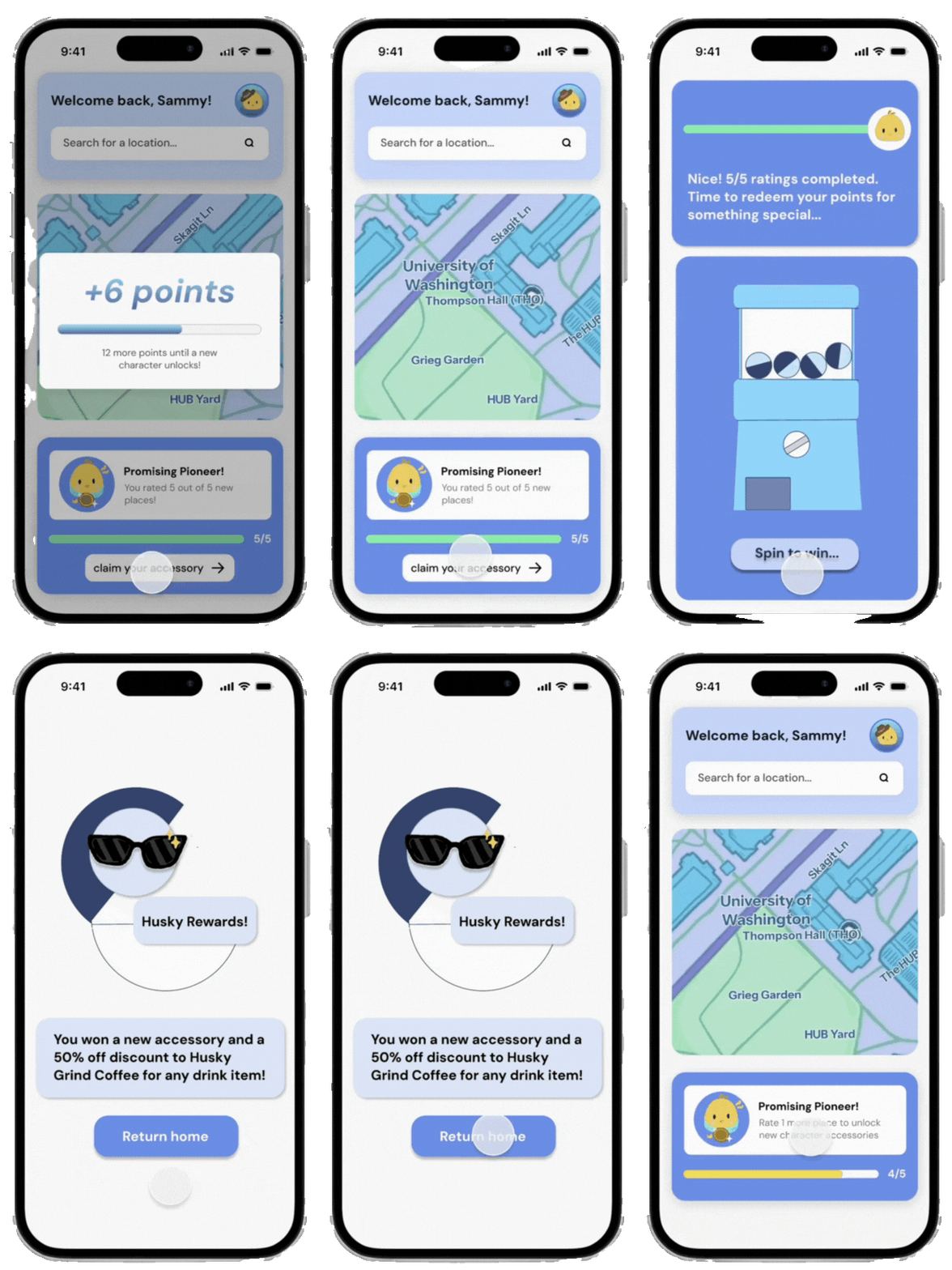
Keep motivation high with Accessipal’s rewarding point system, designed to encourage consistent reporting and engagement. Earn points by leaving reviews, adding photos, and updating existing reports. Accumulate points to unlock exciting rewards, from gift cards at on-campus dining spots to unique accessories for your avatar.
Customize Your Avatar👒
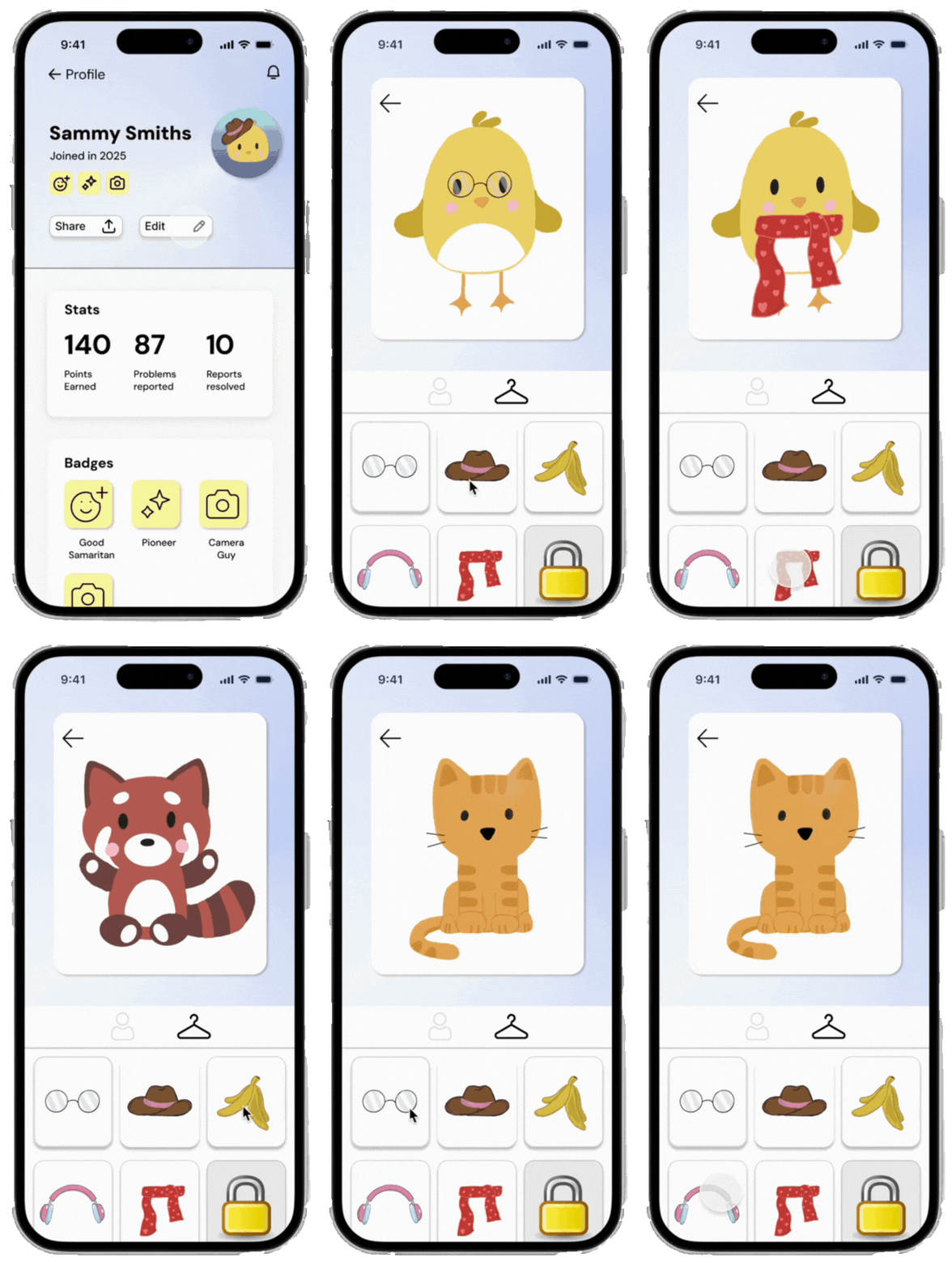
Express yourself by customizing your avatar with adorable animal characters and stylish accessories. Mix and match items to create a unique look that reflects your personality and accomplishments within the Accessipal community.
Reflection
Challenges
⏱ Time Constraint:
Completing a functional prototype in just 8 hours required rapid decision-making and efficient use of resources. Balancing ideation, wireframing, and prototyping while maintaining quality was tough, but it honed my ability to prioritize tasks and make impactful design choices.
🎯 Asking the Right Questions:
During mentorship sessions, I learned the importance of asking specific, actionable questions to get the most out of limited guidance. This helped us make better use of mentor expertise and refine our ideas efficiently.
Takeaways
01
Time management and prioritization are essential when working on rapid prototyping. Knowing how to balance creativity with efficiency can make or break a project.
02
Effective collaboration is key in fast-paced environments. Being adaptable and clearly communicating ideas helped our team stay aligned and productive.
03
Experimenting with Figma techniques like overlays and smart animate elevated the prototype’s interactivity and visual appeal.

Thanks for reading!
Accessipal was an incredible opportunity to push my design skills, collaborate under pressure, and create a solution that empowers campus accessibility.
 Nhu Tat